


NewsBreak: Local News & Alerts
4.6150.14K Reviews
App Specs
- Version
- 26.43.1
- Updated On
- License
- Free
- Downloads
- 50,000,000+
- Developer
- Particle Media Inc.
- Categories
- News & Magazines
- Platform
- Android, iOS
Screenshots
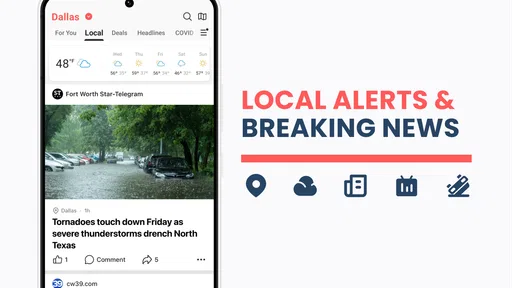
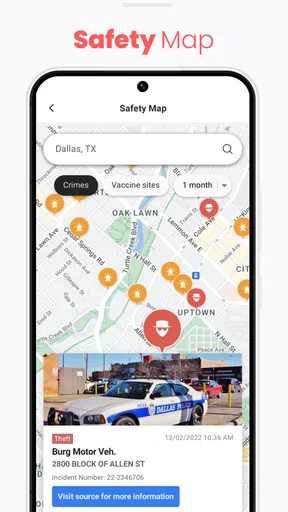

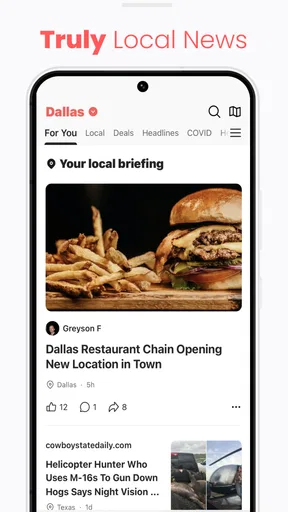
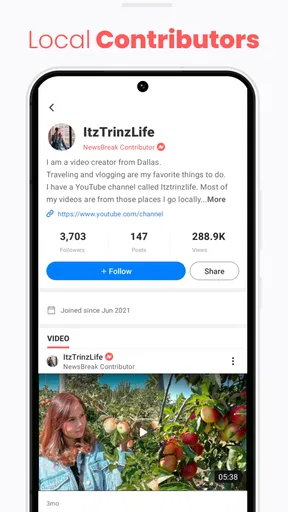
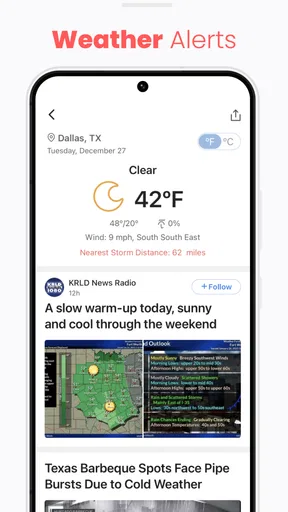
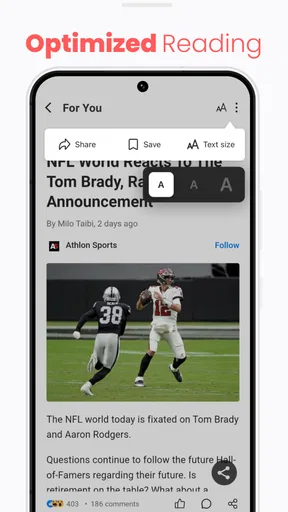
 Analysis by AppCompare
When I first tried NewsBreak: Local News & Alerts, I wanted a quicker way to check what was happening nearby without making social media my news desk. The useful promise here is not that every story will matter to me; it is that local headlines sit alongside the topics I choose, so I can scan one feed and decide what deserves a closer look. If you are new to it, I would treat the first few minutes as setup rather than a test of whether the app already understands your interests.
What to expect from a local-first news feed
NewsBreak is a free news and magazines app from Particle Media Inc. Its audience is substantial: it has more than fifty million installs and an average rating of 4.6 from around six hundred ten thousand ratings. That gives a newcomer a useful sense of its reach, but popularity does not guarantee that every local source or recommendation will suit your preferences. I would judge it by whether the mix of neighborhood coverage and broader topics is useful in your own routine.
The app is marked for Teen users, and it is available in version 25.53.0 for devices running Android 8.0 or later. It is free to download, with optional in-app purchases listed from ten cents to thirteen dollars per item. I would not assume you need to buy anything to begin reading: start with the free experience and consider a purchase only if you encounter something you genuinely want. That is a more sensible approach than treating optional purchases as part of getting started.
Guides and Analysis on NewsBreak: Local News & Alerts
For a first-time reader, the main difference from opening a newspaper’s app is the blend: NewsBreak aims to bring local updates and selected interests into one place. Compared with a general social feed, it gives news a more prominent role; compared with a single publisher’s app, it can offer a wider range of topics. The trade-off is that a broad feed may feel less consistent than following a small number of outlets you already trust. I see it as a convenient starting point, not a replacement for checking original reporting on a story that matters.
Set up with a purpose, not every interest at once
Once I downloaded the app, setting it up was a breeze. I simply selected my favorite topics—think everything from politics to pop culture—and voilà, my customized newsfeed was ready. The app's ability to pull local news is particularly impressive, keeping me informed about what's happening right in my neighborhood.
For a better first session, I recommend choosing only the subjects you would actually stop to read. It is tempting to select everything, but a broad selection can make the feed harder to scan and can contribute to more alerts than you want. I would begin with a few steady interests, then use ordinary reading habits as a guide: if a topic repeatedly feels irrelevant, remove it; if you keep looking for another subject, add it later. This small, deliberate start makes it easier to tell whether the local coverage is helping or simply adding noise.
Location is central to the app’s local-news purpose, so it is worth paying attention to the area the feed is showing during setup. If you have recently moved, travel between neighborhoods, or are checking news for family elsewhere, do not assume the first local selection is automatically the one you want to follow. Confirm that the coverage feels relevant before relying on it for practical updates. For an important matter, use the app to find a lead and then check the reporting or official notice behind it.
Worth Reading Before You Choose

Baby Panda World Brings Quick Play to Modern Phones, but Its Game Library Feels Busy

ESPN’s Live Game View Makes Following Close Games Easier

QuizzLand Review: A Good Fit for Short Trivia Breaks, Not Every Player

Basketball Stars: Multiplayer Is Fast, but Can It Recover When Matches Go Wrong?

WEBTOON Turns Phone Updates Into a Better Reading Routine

Link to Windows Runs on Shared Habits, Not Social Feeds
Find a first useful story and build a reading habit
A simple first success is to open the feed, scan the local headlines, and choose one story that affects your day rather than trying to read everything. For example, before leaving home, I might look for a neighborhood development or a weather-related update, then open the full story only if it changes what I plan to do. That quick check gives the app a clear job: help me notice something relevant, not keep me scrolling for its own sake.
The real-time notifications can be helpful when a headline is time-sensitive, but I would be selective about them. If alerts arrive while you are working or commuting, switch off the topics that rarely need an immediate interruption and keep only the ones you genuinely want surfaced promptly. That is a useful distinction: a story can be worth reading without needing to interrupt your day. Treating alerts as a small priority list makes them more valuable than enabling every possible prompt.
One practical routine is to use the feed for discovery and a saved mental shortlist of trusted sources for confirmation. If an alert concerns a road closure, public safety, or another decision with real consequences, look for a direct report or an official local announcement before acting. NewsBreak can help you spot a developing subject, but a notification is a prompt to investigate, not proof that a situation is complete or unchanged.
Your Personal News Hub
The first thing that caught my attention was how NewsBreak transforms the way I consume news. Instead of bombarding me with a deluge of information, it personalizes the feed based on my interests and location. It's like having a personal journalist who knows exactly what you need to read every morning.
Features That Stand Out
One of the features I truly appreciate is the real-time notifications. Whether it's a breaking news alert or a weather update, NewsBreak ensures I’m always in the loop. The app’s sleek and intuitive interface makes navigation a pleasure, too. Switching between topics or diving deeper into stories is smooth and seamless.
For those who prefer video content, NewsBreak offers that as well. The video clips are short, informative, and perfectly suited for when you're on the go. Plus, the community feature lets users engage in discussions about stories, adding a social element to the app that I didn't know I needed.
Use video and discussion selectively
Short clips are handy when I have a spare moment and do not want to read a long article, but I would not use a video feed as my only way to understand a complicated issue. A clip can be a quick introduction; for context, I prefer to open the written story and see what details it provides. This is especially useful when a headline is emotionally charged or a topic is changing quickly, because a brief summary may not answer the questions I actually have.
The discussion area can add reactions and perspectives, but it is also where I would separate conversation from reporting. Comments can be useful for noticing what local readers are asking or which details they find confusing; they should not be treated as confirmation. If I join in, I try to respond to the specific story rather than letting a thread pull me into unrelated arguments. Readers who want a quiet, publisher-only experience may prefer a conventional news app with less of a social layer.
Keeping It Real
While the app is mostly fantastic, it’s not without its quirks. Occasionally, the notifications can be a tad overwhelming, especially if you’ve subscribed to multiple topics. But hey, better too much information than too little, right?
Another point to note is that the app does rely on ads to keep the lights on, which can sometimes interrupt the browsing experience. Thankfully, the ads are generally non-intrusive, and after a while, I hardly noticed them.
Where the convenience has limits
Personalization is helpful, but it can also narrow what I notice if I only read the subjects the feed keeps putting in front of me. I like to use the local feed as a discovery tool and occasionally look beyond my usual interests, rather than assuming its selection is a complete picture of the area. If you need comprehensive coverage for a serious decision, compare more than one report and pay attention to the source, not just the headline or how prominently it appears.
Ads are another real trade-off: even when they do not dominate the screen, they can interrupt the rhythm of reading. If you mainly want an uninterrupted reading session, a publication’s own app or website may suit you better, though it will usually focus on that publisher’s coverage rather than a mixed feed. NewsBreak makes more sense when convenience and variety matter enough to accept advertising and occasional recommendations that are not a perfect match.
I would also skip it as a primary news source if you want every story to come from one editorial team, dislike community discussion, or find any push alert distracting. In those cases, a few carefully chosen local publisher apps, a direct newspaper subscription, or a quiet manual check of trusted sources may be a better fit. NewsBreak’s strength is putting different kinds of news together; that same breadth means the reader has to do some filtering.
Final Thoughts
All in all, NewsBreak: Local News & Alerts is a stellar app for anyone looking to stay informed without feeling overwhelmed. It’s a nifty tool that’s not just about getting news but getting the right news. Whether you're a news junkie or just someone who likes to stay informed, this app is worth checking out.
If you’re ready to take your news consumption to the next level, give NewsBreak a try. You can download it and see for yourself how it fits into your daily routine. Trust me, once you start using it, you'll wonder how you ever kept up with the world without it!
A sensible next step for a new reader
My recommendation is to give the feed a short, low-pressure trial: pick a few topics, check that the local area is the one you care about, and read a couple of stories before deciding whether to keep notifications enabled. If the headlines become more relevant after you adjust your choices, the app may earn a regular place in your morning routine. If the feed still feels noisy, trimming interests or turning off alerts is a better first move than forcing yourself to keep up with everything.
For me, its best use is as a convenient neighborhood news check that can point me toward stories I might otherwise miss. It is less suited to readers who want a single authoritative feed with no ads or social discussion. Approach it as a customizable companion, verify consequential updates with their original sources, and it can be a useful way to stay aware without making news another endless scroll.
Pros
- User-friendly interface that's easy to navigate.
- Customizable news feed tailored to interests.
- Real-time local news alerts keep you updated.
- Diverse range of news sources and topics.
- Option to follow specific journalists and outlets.
Cons
- Occasional intrusive ads disrupt the experience.
- Some articles may have biased viewpoints.
- Limited offline reading options available.
- Notifications can become overwhelming at times.
- Requires account for full personalization features.
FAQs for NewsBreak: Local News & Alerts
What is NewsBreak: Local News & Alerts?
NewsBreak: Local News & Alerts is a mobile application designed to keep users informed with the latest local and national news. It aggregates content from various trusted sources, providing updates on current events, weather alerts, and more. Users can customize their news feed to focus on local stories relevant to their interests.
Is NewsBreak free to use, and does it contain ads?
Yes, NewsBreak is free to download and use. However, it does contain ads, which help support the platform. Users may encounter advertisements while browsing news articles or within the app interface. Despite the presence of ads, many users find the app’s wide range of news coverage to be a valuable resource.
Can I customize the news feed in NewsBreak?
Absolutely! NewsBreak allows users to personalize their news feed by selecting topics and regions of interest. This customization ensures that users receive the most relevant news and alerts. By adjusting preferences, users can focus on specific categories such as politics, sports, entertainment, or weather updates.
How does NewsBreak ensure the reliability of its news content?
NewsBreak sources its content from a variety of reputable news outlets and local publishers. It aims to provide accurate and up-to-date information by curating articles from trusted sources. Users should still verify news from multiple sources to ensure credibility, especially in rapidly evolving news situations.
Does NewsBreak send notifications for breaking news?
Yes, NewsBreak offers push notifications to alert users about breaking news and significant events. Users can manage and customize these notifications in the app settings to receive alerts on specific topics or local news. This feature ensures that users stay informed about important developments as they happen.


